How to reprocess a Kafka dead letter queue: fix and replay failed records
Inspect, correct and replay Kafka dead letter queue records to the original topic


Inspect, correct and replay Kafka dead letter queue records to the original topic
To reprocess a Kafka dead letter queue (DLQ), read the failed records, correct whatever made the consumer reject them, and produce the corrected records back to the topic they belong to. Replaying them unchanged only helps if the cause was temporary, such as an unavailable downstream service; if the data itself is wrong, the records fail again and return to the DLQ.
The topic names orders and orders.dlq in this article are examples.
A dead letter queue is a separate topic that collects the records a consumer or connector could not process, so the partition is not blocked and nothing is lost. Typical causes are:
If the cause was temporary, the records are fine and can be replayed as they are. If the cause is in the record, replaying it blindly gives the same result: the same record meets the same code and lands in the DLQ again. So the first step is always to look at the failed records.
All three work. In each, the correction has to be deployed before you see what it does to the records.
The steps below use Kadeck Pipes. A pipe writes the records of a topic to another topic, processed the way a topic view shows them.
Open the dead letter topic, here orders.dlq, in the Explorer and select a record to see its key, value and headers. To compare failed records with healthy ones, click Add topic or view and add orders. The two views form a topic set, and All combined shows the records of both topics in one list.
In the orders.dlq view, select the JavaScript Processor tab above the record list and click Start. Your code runs once for every record, which is available as rec (see the processor reference). Return rec to keep the record with your changes, or false to leave it out.
Say the consumer rejected orders because total arrived as text such as "49,90" instead of a number. This processor repairs those records and leaves out the rest:
if (typeof rec.value.total !== "string") return false;

rec.value.total = Number(rec.value.total.replace(",", "."));

return rec;
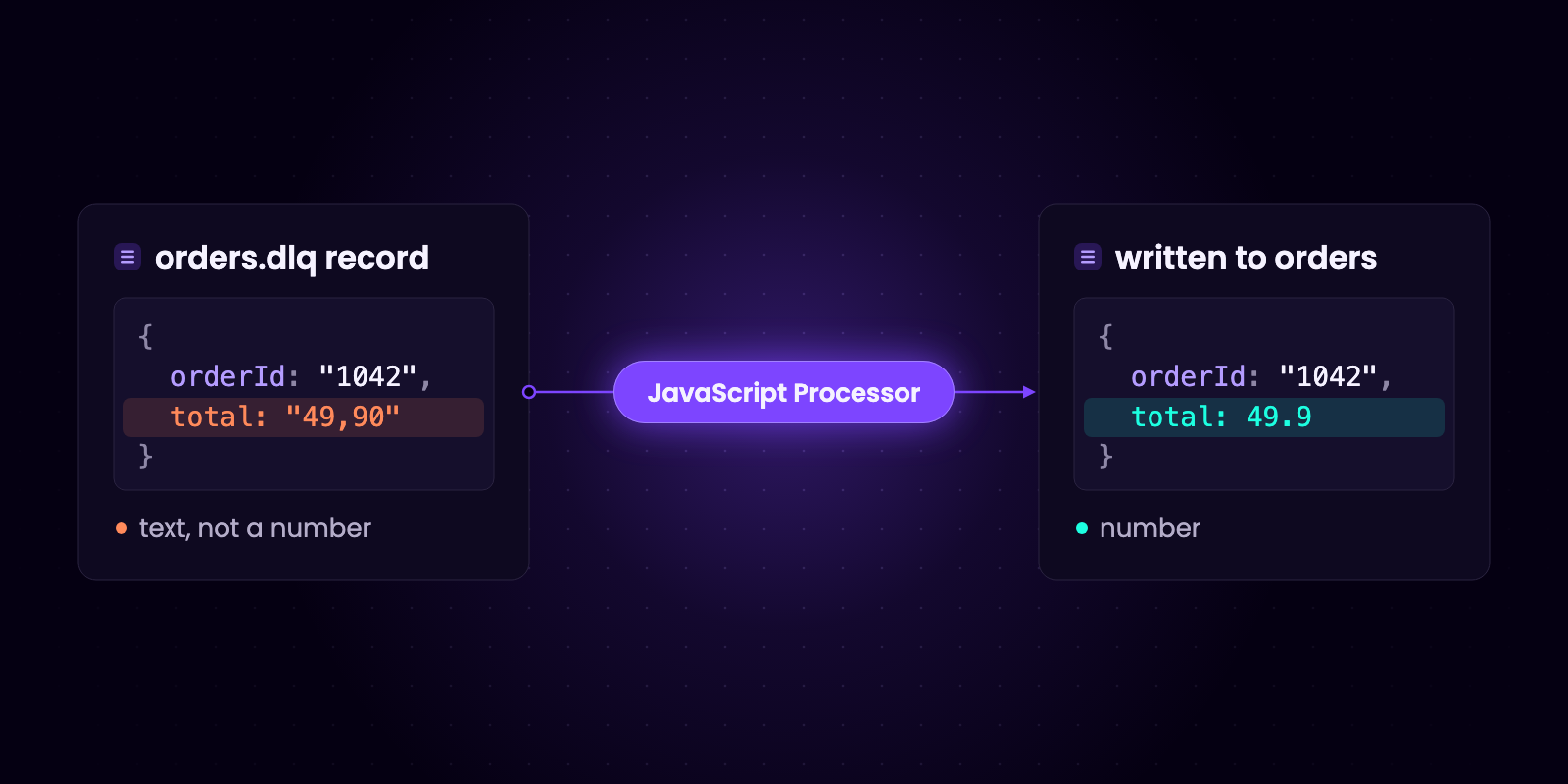
Click Apply. The records are read again and shown as the code returns them. The records stored in the topic are not changed.
The record list is the preview of the pipe: it shows the records the way they will be written. Add filters if only a part of the records should go back, for example the records of one error type.
Click Pipe in the toolbar of the view, next to Produce. The Convert to Kadeck Pipe dialog opens. The settings that matter here:
orders. The topic must exist.orders expect.By default, a pipe also applies the data protection policies of its author, so attributes that are masked for you are written masked.
Then click Test run. It takes one record through decoding, processing and encoding for the target without writing anything, and shows the record the pipe would write, or the step that failed and why.
Click Start pipe. The pipe completes when it reaches the end of the dead letter topic as it was when the pipe started. Its details show how many records were processed, written, filtered, dropped and dead-lettered, and Target records opens orders.
orders idempotent, or make the records identifiable by a key or an id in the value.orders is not guaranteed. They arrive after everything produced in the meantime, so check that a replayed record does not overwrite newer state for the same key. The record timestamp is kept.orders.dlq. With Run once, the pipe has a fixed end and does not pick it up again. With Keep running, it would. For the pipe's own On error setting, pick a dead letter topic other than the one the pipe reads from.kadeck.pipe with the pipe name, which helps tell replayed records apart.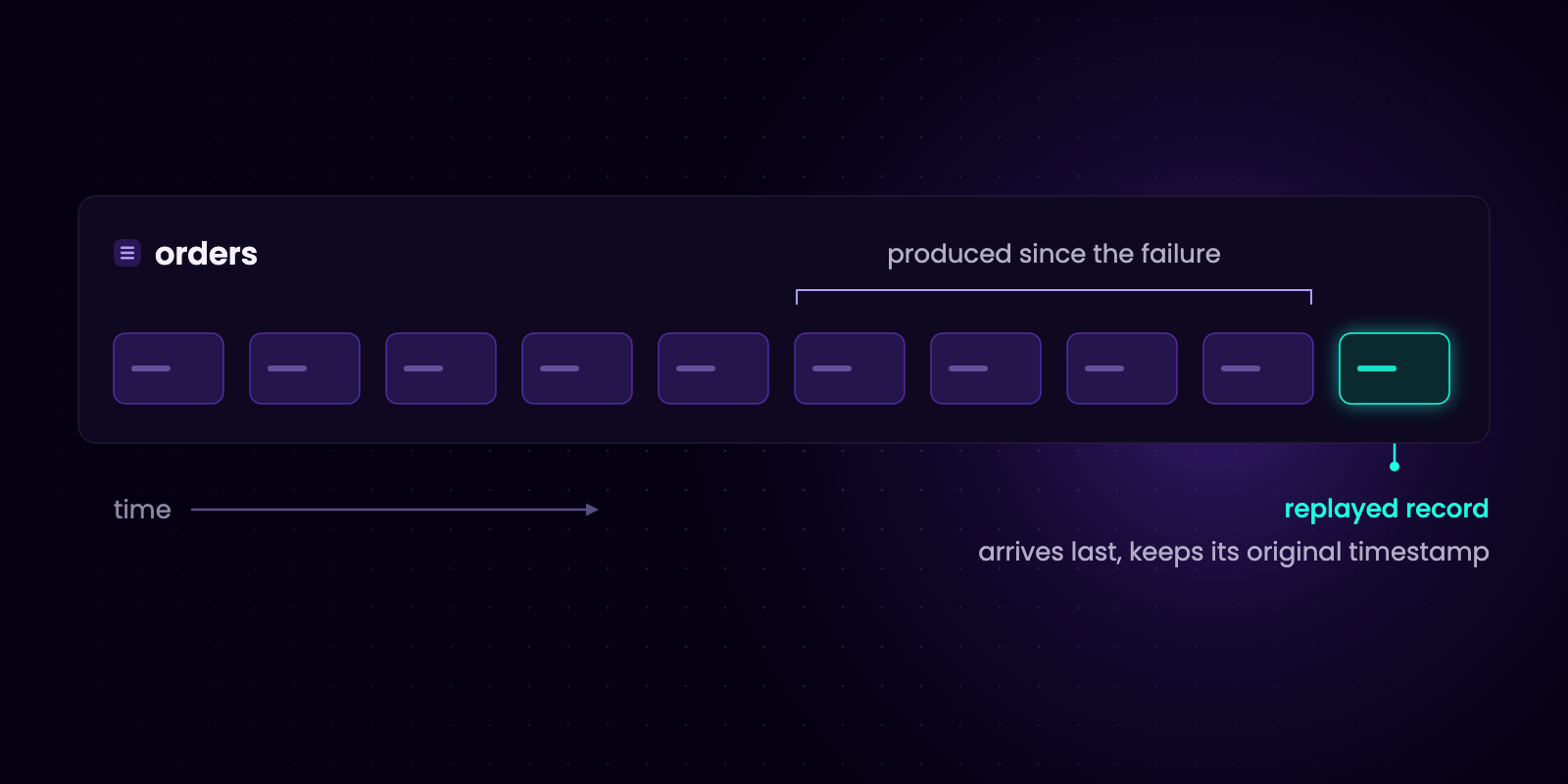
Yes. Any tool that reads one topic and writes to another can do it: a command-line tool, a connector, or a pipe. If the records need a correction first, the tool must be able to change them on the way.
In a Kadeck view, add filters, or set the offset and the maximum number of results in the display settings and apply the Entire view, so the pipe writes only that range.
No. Reading from a Kafka topic does not remove records. They stay until retention deletes them or you delete them, so note which records you have already replayed.
Kadeck works with Apache Kafka, Redpanda, Amazon MSK and Aiven. The Free plan includes one active pipe, and running, paused and failed pipes count as active; Desktop Professional and Platform allow multiple active pipes. You can get started here and compare the plans on the pricing page.


